Choosing the right access system can shape how safely people move through a facility every day. Doors, badges, readers, cameras, and software must work as one dependable process. This guide explains how to choose secure access solutions for facilities without treating security as a simple purchasing decision.
Bruce Schneier, a respected security technologist, offers a useful reminder: “Security is a process, not a product.” His point matters in hospitals, offices, warehouses, schools, and public buildings. A strong solution should support clear permissions, fast response, visitor management, audit trails, and reliable operation during network interruptions. It should also respect privacy and accessibility requirements.
Facility teams should begin with real movement patterns. Who enters at 7 a.m.? Which doors need controlled access after closing? What happens when an employee loses a badge? These details reveal practical weaknesses that sales brochures often overlook. Check integration with existing systems, maintenance needs, cybersecurity controls, and the supplier’s installation record. Ask for references from facilities with similar traffic and risk levels.
No solution is perfect. A pilot test may expose confusing alerts, slow readers, or gaps in emergency procedures. That is useful evidence, not failure. Review those findings with staff who use the doors daily. Then compare total ownership costs, training demands, scalability, and support response times. The best choice is not always the newest technology. It is the system people can operate correctly, maintain consistently, and improve as facility needs change.
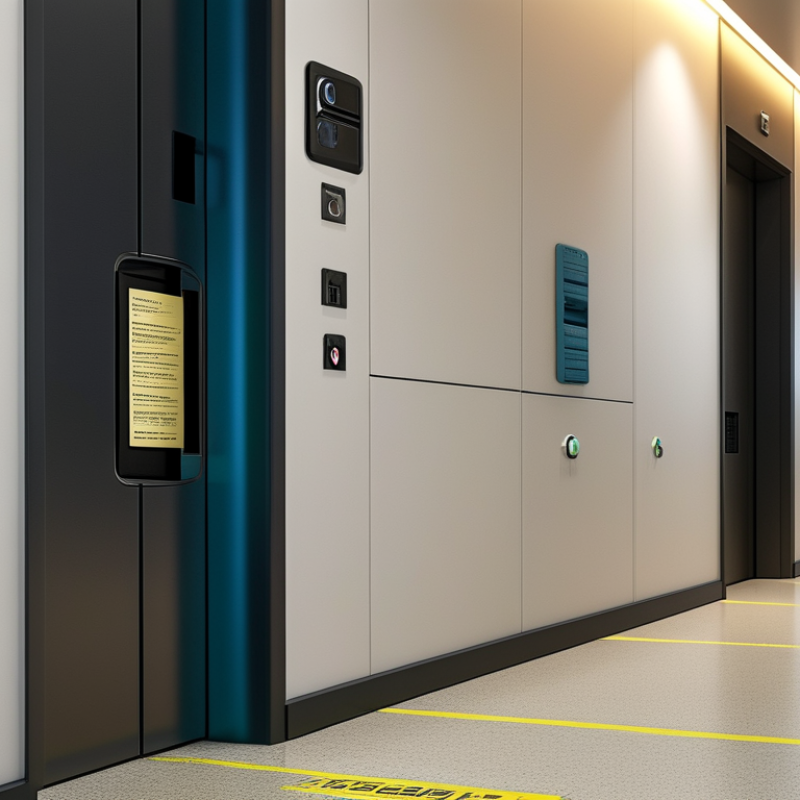
Modern facilities need secure access solutions that protect people, spaces, and daily operations. These systems combine controlled entry, identity verification, visitor management, and detailed activity records. Their purpose is not simply to keep doors locked. They help facility teams understand who entered, when access occurred, and whether unusual activity needs attention.
A practical solution begins with a clear risk assessment. A research laboratory may require stronger identity checks than a shared office. A hospital may need fast access during emergencies, while still protecting medicine rooms and patient areas. Entry points should match real movement patterns. For example, a loading door used at 6 a.m. needs different controls from an executive entrance.
Good implementation depends on more than hardware. Staff need simple procedures, regular training, and quick support when credentials fail. Access records should be reviewed for repeated rejected entries or unusual after-hours activity. Privacy also deserves careful handling. Collect only necessary information, protect it properly, and define who can view it. No system is perfect. A badge can be misplaced, a sensor can fail, and an approved user can make a poor decision. That is why layered controls, maintenance checks, and human oversight remain essential. Security teams should test their assumptions, not merely trust a successful installation.
Choosing a secure access solution starts with assessing the facility, not comparing product features. Map critical assets, staff routes, visitor areas, loading bays, and emergency exits. Then document who needs access, when, and why. The 2024 Data Breach Investigations Report found that human involvement appeared in 68% of breaches. Access reviews must therefore include lost credentials, shared cards, tailgating, and rushed approvals.
Walk the site during a normal shift and during handover. Watch doors, reception queues, blind corners, and delivery movements. Speak with guards, employees, contractors, and maintenance teams. Their practical experience often reveals gaps missed by formal drawings. It is easy to overvalue sophisticated authentication. A strong system can still fail when doors are propped open or permissions remain active after a worker leaves.
Use a risk matrix to rank assets by impact and likelihood. Consider layered controls, such as monitored entry points, visitor verification, time-based permissions, and audit-ready access logs. The Cost of a Data Breach Report 2024 placed the global average breach cost at 4.88 million dollars, showing why access data deserves careful protection. However, that figure is not a reason to install every available control. Privacy, accessibility, evacuation needs, and offline operation also matter. My own assessment preference is simple: test the weakest routine, not the most impressive feature. Review results quarterly, because staffing, layouts, and threats change.
Different facilities need different access controls. A small office may need smart cards, PINs, and scheduled entry. These tools support visitor management without slowing daily work. A hospital needs stronger identity checks, emergency overrides, and restricted clinical zones. Access decisions should protect patients while preserving fast movement during urgent care.
Warehouses often benefit from long-range credentials, gate controls, and camera-linked entry records. These features help manage drivers, contractors, and shift changes. Schools require layered protection, including controlled entrances, staff credentials, and clear lockdown procedures. Data centers need stricter controls, such as biometric verification and two-person access for sensitive rooms. Even reliable technology can fail when users share credentials or hold doors open.
Tips: Start with a map of people, zones, and movement times. Match security levels to real risks, not assumptions. Test the system during busy periods, power interruptions, and emergency drills. Keep an alternative entry method available, but review it carefully. A convenient backup can become a weak point. Access logs should be checked regularly, with privacy handled responsibly. No solution is perfect. Facility teams should revisit their choices after incidents, layout changes, and staff feedback.
Choosing a secure access solution for a facility requires more than checking a feature list. Security should match real risks, such as tailgating, lost credentials, and restricted areas. In my experience, layered controls work better than one impressive device. Consider encrypted credentials, tamper alerts, visitor records, and rapid access removal. Ask how the system performs during power or network interruptions. Small failures matter.
Usability affects security more than many buyers expect. If employees face confusing screens or slow doors, they may create unsafe workarounds. Test entry during a busy shift, not only during a quiet demonstration. Check accessibility, mobile compatibility, and emergency procedures. Keep the process simple. Staff feedback can reveal problems that specifications miss.
Integration deserves careful testing. The solution should exchange reliable data with identity management, video monitoring, alarms, and facility software. Confirm available interfaces, audit trails, maintenance needs, and data ownership. Cost includes hardware, installation, training, support, upgrades, and downtime. Request a five-year estimate, not only the purchase price. A cheaper system may become expensive when integrations require custom work. I once underestimated training time, and adoption suffered. That mistake changed how I evaluate projects. No option is perfect. Compare documented performance, independent testing, supplier support, and references from facilities with similar traffic and risk. Controls should be reviewed regularly as operations change.
Compare common facility access methods across security, usability, integration readiness, and cost efficiency. Scores use a 0–100 planning scale, where higher values indicate a stronger overall result for that criterion.
Mechanical keys generally offer low acquisition cost but limited auditability. RFID cards and mobile credentials improve access management and integration, while biometric systems can provide strong identity assurance but often require higher investment, privacy controls, and maintenance.
Planning a secure access system starts with people, not devices. Map every entrance, restricted room, delivery route, and emergency exit. Identify who needs access, when they need it, and why. A small clinic may require different permissions for nurses, cleaners, visitors, and contractors. Use written policies, approval records, and privacy controls from the beginning. Our first access map missed a maintenance corridor, which later exposed a scheduling weakness.
During deployment, test the system in real conditions. Check doors during power loss, network failure, crowded arrivals, and emergency drills. Connect access readers with alarms, cameras, and visitor records only when the connection serves a clear purpose. Train staff with practical scenarios, not just slides. Keep backup entry procedures documented and controlled. Avoid collecting unnecessary personal data. A technically strong system can still fail when users share credentials or prop open a secure door.
Tips: Review permissions every month. Remove access on the same day a role changes. Inspect locks, readers, batteries, and cables on a fixed schedule. Study failed-entry reports for unusual patterns, but confirm the context before taking action. Keep maintenance records with dates, responsible staff, and unresolved issues. A short quarterly drill often reveals more than a perfect installation report.
They protect people, restricted spaces, and daily facility operations. They record who entered, when access occurred, and whether unusual activity needs review. The goal is more than locking doors.
Start with a practical risk assessment. A research laboratory may need stronger identity checks than a shared office. Match controls to real movement patterns and restricted areas.
No. A loading door used at 6 a.m. may need different controls from an executive entrance. Emergency routes may require fast access, while medicine rooms need tighter restrictions.
Compare encrypted credentials, tamper alerts, visitor records, and rapid access removal. Ask how the system behaves during power or network interruptions. Small failures matter.
Test entry during a busy shift, not only during a quiet demonstration. Check accessibility, mobile compatibility, door speed, and emergency procedures. Confusing screens may encourage unsafe workarounds.
Training is essential for reliable adoption. Staff need simple procedures and quick support when credentials fail. I once underestimated training time, and adoption suffered.
Review rejected entries, unusual after-hours activity, maintenance records, and failed sensors. Test security assumptions regularly. A successful installation is not proof of permanent effectiveness.
Collect only necessary information and protect it properly. Define who can view access records and how long records remain available. Privacy controls need regular review.
Include hardware, installation, training, support, upgrades, integrations, and possible downtime. Request a five-year estimate instead of checking purchase price alone. A cheaper system may require expensive custom work.
Choosing the right access control strategy is essential for modern facilities that need to protect people, property, data, and daily operations. This guide explains how to choose secure access solutions for facilities by first evaluating security risks, entry points, user groups, visitor needs, operating hours, and compliance responsibilities. It outlines how different technologies, such as electronic credentials, mobile access, biometric verification, video intercoms, and centralized monitoring, may suit offices, industrial sites, healthcare environments, educational buildings, and other facility types.
The article also presents a practical framework for comparing solutions based on security strength, convenience, scalability, system integration, maintenance requirements, and total cost of ownership. Finally, it highlights the importance of planning access policies, preparing users, deploying systems in stages when appropriate, testing performance, and maintaining hardware, software, credentials, and records over time. A well-planned solution should provide reliable protection while supporting smooth, efficient, and accountable facility operations.

Gerald Doors